

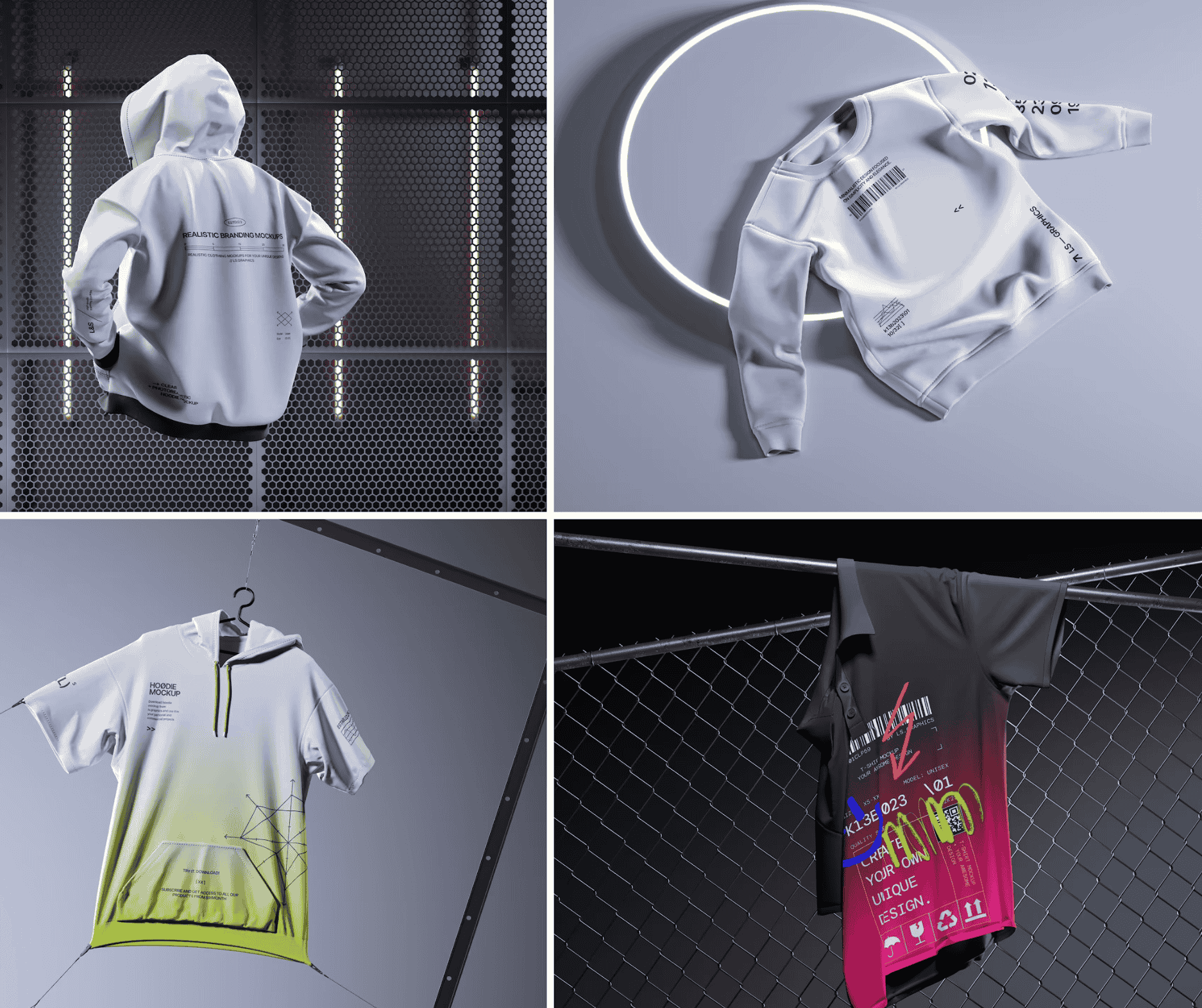
So you’ve designed a stunning apparel collection. The silhouettes are sharp, the colorways are cohesive, and your brand story is ready to be told. There’s just one problem — you don’t have a single photograph to show for it. No model, no studio, no photographer. Welcome to the creative reality that thousands of independent designers and growing brands face every season.
Here’s the good news: you don’t need any of that anymore. Digital mockups have quietly revolutionized the way apparel brands present their work, and the results? Sometimes indistinguishable from a high-end photoshoot. Let’s walk through exactly how to build a complete, professional lookbook using nothing but digital tools.
Why Digital Mockups Are a Game-Changer for Apparel Brands
The traditional lookbook process was expensive, logistically complicated, and time-consuming. You needed to coordinate photographers, models, locations, lighting, and post-production — all before a single item even shipped.
An apparel mockup flips that equation entirely. It’s a pre-built, photorealistic template that lets you place your design onto a garment digitally. The result looks like a real product, styled and shot professionally, without leaving your desk.
For independent designers, startups, and even established brands testing new concepts, this isn’t a shortcut — it’s a smarter workflow. You can iterate faster, test colorways instantly, and present a cohesive collection before sampling even begins.
Planning Your Lookbook Structure Before You Open Any Software
The biggest mistake creators make is diving into mockup creation before thinking about the bigger picture. A lookbook isn’t just a collection of product images — it’s a visual narrative.
Before you start placing designs, ask yourself:
- What’s the mood? Are you going for clean and minimalist, urban and gritty, or soft and editorial?
- How many pieces are in the collection? Group them by category — tops, bottoms, outerwear, accessories.
- What’s your color story? Make sure your mockup backgrounds and compositions reinforce your palette.
- Who is this lookbook for? Wholesale buyers want clarity. Consumers want inspiration. Influencers want aesthetic.
Map out a rough page structure first. Think of it like a screenplay — you need an opening, a flow, and a closing image that leaves an impression.
Choosing the Right Apparel Mockup for Each Look
Not all mockups are created equal. The quality of your presentation depends entirely on choosing templates that match your brand’s visual language.
An apparel mockup can range from a flat lay to a ghost mannequin, from a hanging garment to an on-figure shot. Each serves a different storytelling purpose within a lookbook:
Flat lays work beautifully for pattern-forward designs where you want every detail visible. They’re also perfect for styled compositions — pair a hoodie flat lay with some props like coffee cups, vinyl records, or greenery to create a lifestyle moment without a model.
Ghost mannequins give garments their three-dimensional shape without the distraction of a human figure. They’re particularly effective for outerwear, structured jackets, or any piece where fit and construction are selling points.
On-figure mockups — where the garment appears on a realistically rendered body — are the closest thing to a traditional editorial photo. These carry the strongest emotional weight and work best for the hero spreads of your lookbook.
The key is variety. A lookbook that uses only one type of mockup becomes monotonous. Mix angles, compositions, and presentation styles to keep the reader turning pages.
Real Examples of Apparel Mockups in Action
To understand how powerful this approach can be, consider how brands are actually using digital mockups in their visual storytelling today.
A streetwear label launching a capsule collection might open their lookbook with a bold overhead flat lay of a heavyweight crewneck — design centered, surrounded by deliberate props that hint at the collection’s theme. Turn the page, and there’s a ghost mannequin spread showing a zip-up jacket from the front, side, and back simultaneously. The final spread? An on-figure mockup styled against a clean gradient background, capturing the full outfit in one cinematic frame.
Independent T-shirt brands have been particularly quick to adopt this method. Using high-quality apparel mockups, they build entire seasonal catalogs with consistent lighting, consistent shadow depth, and consistent compositional framing — something nearly impossible to achieve across multiple real photoshoots without significant budget.
Even knitwear and denim brands — categories notorious for their tactile complexity — are producing convincing digital lookbooks by choosing ultra-realistic mockup templates with accurate fabric texture rendering.
Apparel Mockups on ls.graphics: A Resource Worth Knowing
If you’re serious about building professional-grade lookbooks, the mockup library at ls.graphics deserves a dedicated stop in your workflow research.
What sets this resource apart isn’t just quantity — it’s the craft behind each template. The apparel mockups here feature ultra-realistic rendering that captures fabric weight, shadow behavior, and surface texture in a way that cheaper alternatives simply can’t replicate. Designs placed on these templates look like they were photographed in a professional studio.
The organized layers mean you’re not digging through a chaotic Photoshop stack — every element is labeled, grouped, and editable. Swapping colors, adjusting backgrounds, or isolating specific garment parts takes minutes, not hours.
Most garment types are available from multiple angles. A range of color styles and stylish minimalist compositions are baked into many templates.
For those who want to experiment first, ls.graphics offers a generous selection of free scenes — genuinely usable templates, not stripped-down teasers.
The Edit Online feature lets you apply designs directly in the browser, no Photoshop required.
Assembling Your Lookbook: The Final Steps
Once your individual mockup images are ready, assembly is where the lookbook truly comes alive. Use tools like Adobe InDesign, Canva Pro, or Affinity Publisher to arrange your spreads. Keep typography minimal and on-brand. Let the imagery breathe — white space isn’t wasted space, it’s intentional direction for the eye.
Export as a high-resolution PDF for wholesale presentations, and a compressed version optimized for digital sharing. Consider a scrollable web version for social distribution.
Conclusion
The era of needing a full production budget to launch a beautiful apparel lookbook is over. With the right creative vision, a structured approach, and access to high-quality resources, any designer can produce work that competes with major brands.
The process starts with planning your story, extends through smart mockup selection, and lands on careful, intentional layout design. And when it comes to finding templates that genuinely elevate the final result, ls.graphics remains one of the most refined destinations in the space — offering the realism, flexibility, and creative range that a polished lookbook demands.
Your collection deserves to be seen. Now you have everything you need to show it.
